

Short answer: A garage door remote not working usually means a dead battery, lock mode, or a lost code. Start with the wall button: if it opens the door, the opener and door are fine, and the fault is the remote, keypad or signal. Most fixes take five minutes: a CR2032 battery, switching lock mode off, or reprogramming with the Learn button.
Garage Door Hub connects you with a trusted local pro. Get a clear price for your garage door repair or replacement first.
Table of Contents
- 1. Garage Door Remote Not Working? Start With the Wall Button Test
- 2. Symptom, Cause and Safe Fix at a Glance
-
3. Remote Battery: The CR2032 Fix
- 4. Check Lock Mode (Vacation Mode) Before Anything Else
-
5. How to Reprogram Your Garage Door Remote With the Learn Button
- 6. Garage Door Keypad Not Working? Battery and Reprogramming
-
7. Garage Door Sensor Not Working? Clean and Align the Photo-Eye Sensors
-
8. Why Your Garage Door Remote Only Works Up Close
-
9. When It Is the Opener, Not the Remote
Video: Garage Door Remote, Keypad & Sensor Not Working? Fix It in 5 Minutes (2026) (Coming Soon)
You press the remote and nothing happens, but before you call anyone: a dead remote is usually a dead battery, a locked opener, a lost code, or a dirty sensor — and the door itself is fine.
Everything here is a safe check — batteries, buttons, cleaning and settings — never springs, cables or the track. If the door is stuck open, hanging crooked, or you heard a loud bang, read our Garage Door Repair Guide and our guide on a door that won’t open instead.
1. Garage Door Remote Not Working? Start With the Wall Button Test
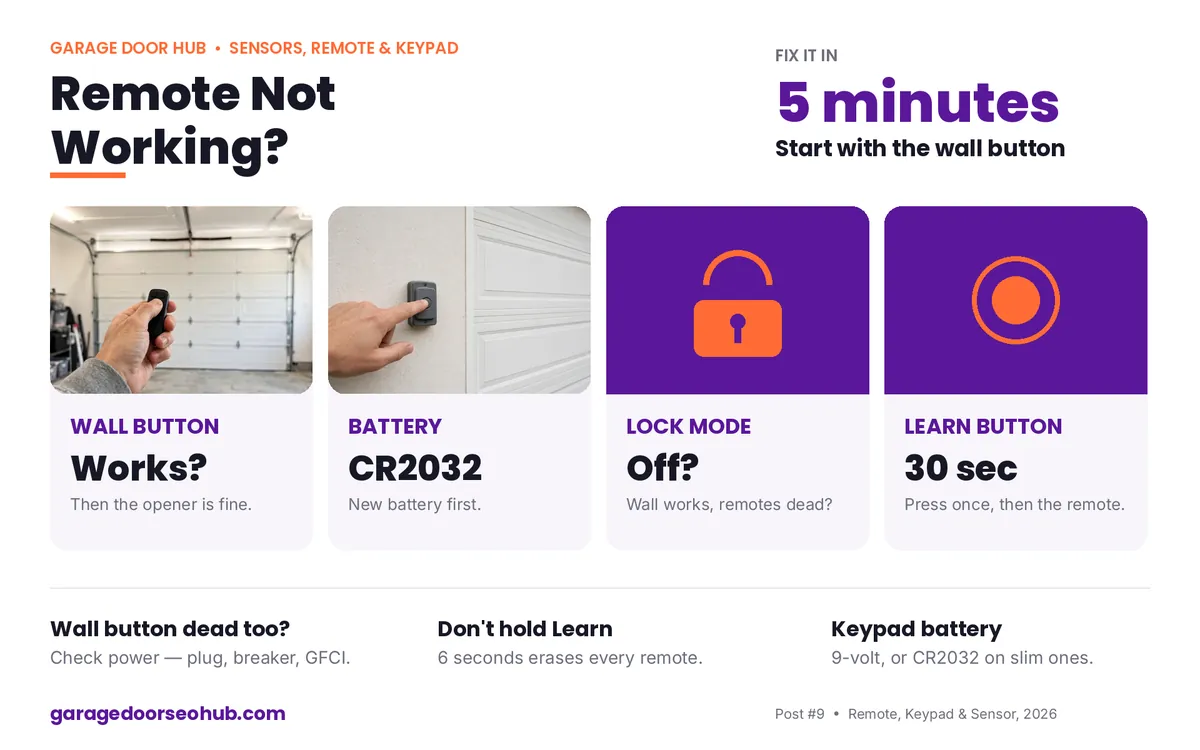
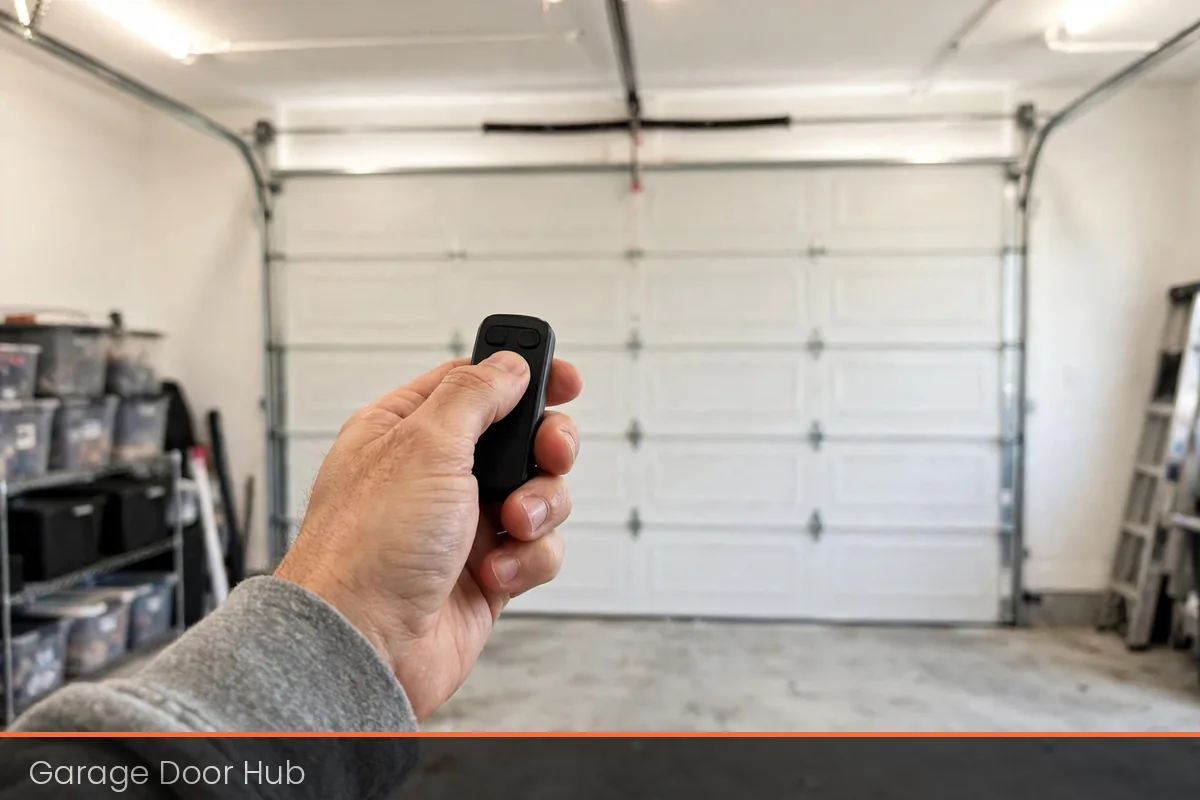
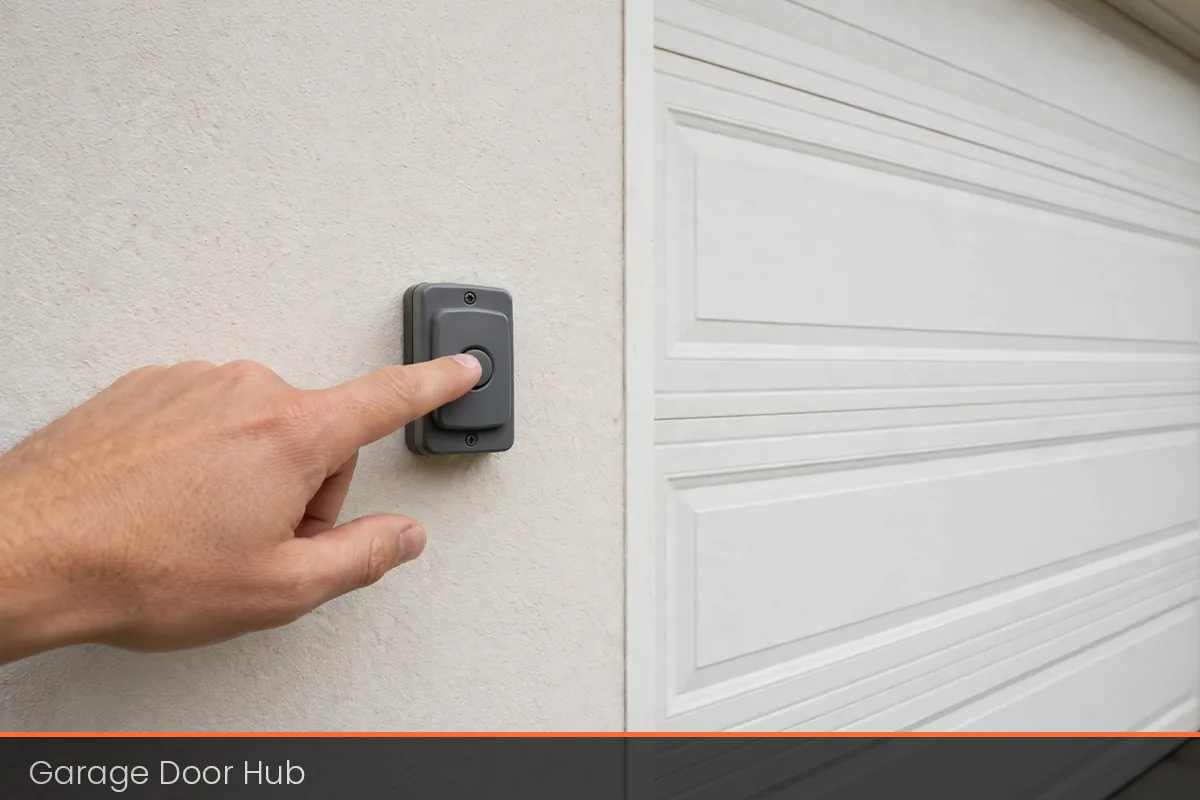
The wall button test takes 30 seconds and tells you where the fault lives: press the wall button inside the garage — if the door opens and closes normally, the opener, door and springs are all fine.
If the wall button does nothing either, the fault is not the remote:
- Is the opener plugged in?
- Is the breaker tripped?
- Has a GFCI outlet tripped?
2. Symptom, Cause and Safe Fix at a Glance
Use this table to match what your door is doing to the likely cause and the safe fix to try first. Each row points to the section below that explains the fix in full.
| Symptom | Likely cause | Safe fix to try first |
|---|---|---|
| Remote does nothing at any distance | Dead CR2032, or lost code | New CR2032, then reprogram with Learn |
| Wall button works but remote doesn’t | Remote, keypad or signal fault — opener and door are fine | Battery, lock mode, reprogram; check antenna |
| Remote only works up close | Weak battery, LED interference, damaged antenna | New battery first; opener-rated LEDs; straighten antenna |
| Keypad does nothing or flashes | Dead keypad battery, or lost PIN | New keypad battery, then re-enter PIN with Learn |
| Door starts down, then reverses | Sensor blocked, dirty or out of line | Clear the path, wipe both lenses, check both lights |
| Nothing works, opener lights dead | No power to the opener | Check plug, breaker and GFCI outlet |
3. Remote Battery: The CR2032 Fix
A dead battery is the most common remote fault, and the cheapest to fix. This section covers the warning signs, the battery your remote takes, and how to fit a new one in the right order.
Battery warning signs
A dead battery is the number one cause of a remote not working, and the cheapest fix: most remotes use a CR2032 coin battery, costing a few dollars and lasting two to three years. The remote usually warns you first:
- It works only up close.
- You have to press twice.
Fitting a new battery
Fit the new battery in this order:
- Open the case.
- Note which way the old battery faces.
- Fit a new CR2032 the same way round.
- Test.
Do not press Learn yet: a battery change does not erase the code. A dark LED means a dead or wrongly fitted battery, while a lit LED with no door movement means the code is the problem.
4. Check Lock Mode (Vacation Mode) Before Anything Else
Lock mode, also called vacation mode, switches off all remotes while the wall button still works, and it is easy to switch on by accident — a long press on the wall panel’s lock button, or a child pressing buttons. If the wall button works but every remote is dead at once, check lock mode first.
On Chamberlain and LiftMaster, a small lock button on the wall panel lights up when lock mode is on — press and hold it for two seconds until the light goes out.
5. How to Reprogram Your Garage Door Remote With the Learn Button
If the battery is fresh, lock mode is off, and the remote still does nothing, the opener has probably lost the code — reprogramming takes under a minute. Find the Learn button on the back or side of the opener motor unit — yellow, red, purple or green on Chamberlain and LiftMaster, or a small square button on Genie.
Reprogramming in 30 seconds
Press and release Learn once and the LED beside it lights up.
- Within about 30 seconds, press and hold the remote button until the opener light blinks or you hear a click.
- For a keypad, press Learn once, then enter your PIN and press Enter within 30 seconds.
Do not hold the Learn button down until the LED goes out. Holding it for about six seconds erases every remote and keypad.
6. Garage Door Keypad Not Working? Battery and Reprogramming
A keypad not working usually means a dead battery or a lost code. Keypads take a 9-volt battery on older models or a CR2032 on newer slim ones, so if nothing lights up, change the battery first — and change it once a year, before it fails.
If it lights up but the door does not move, the PIN was lost, so reprogram it like a remote: press Learn, enter your PIN and press Enter within 30 seconds.
7. Garage Door Sensor Not Working? Clean and Align the Photo-Eye Sensors
The photo-eye sensors stop the door closing on anything in its path, so when they fail the door starts down and reverses. This section explains how the beam works, how to clean and line the sensors up, and why you must never bypass them.
Beam, lenses and lights
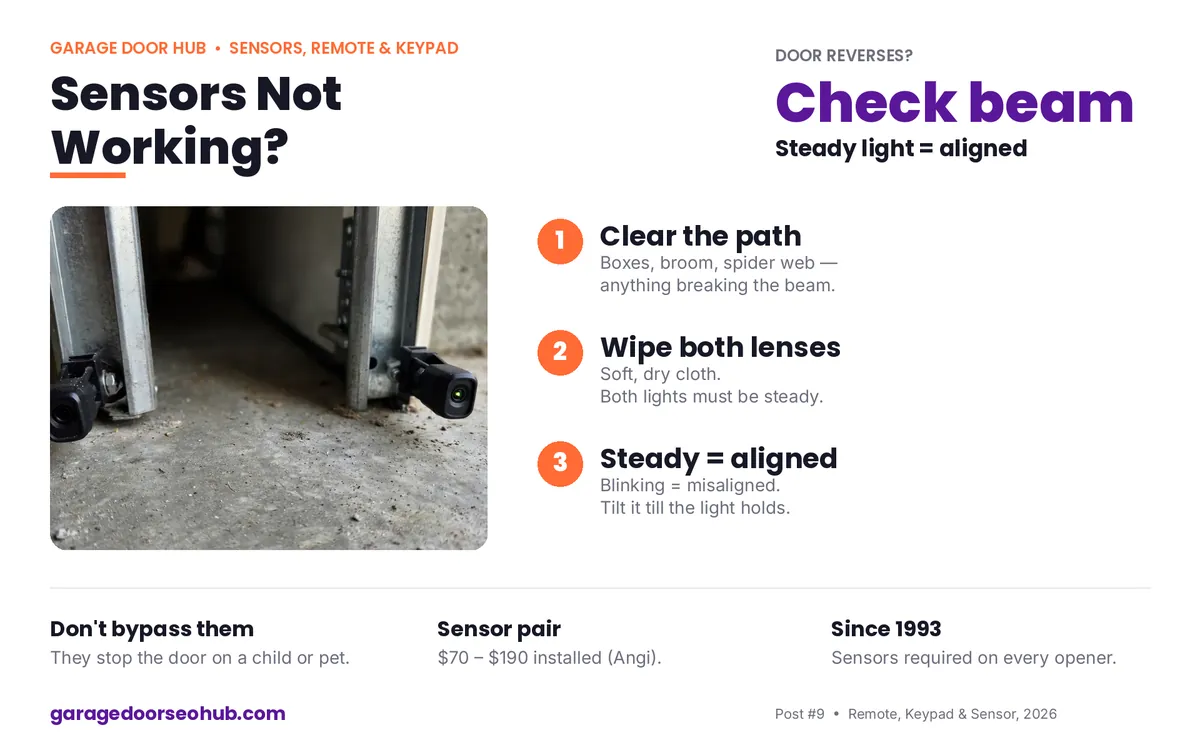
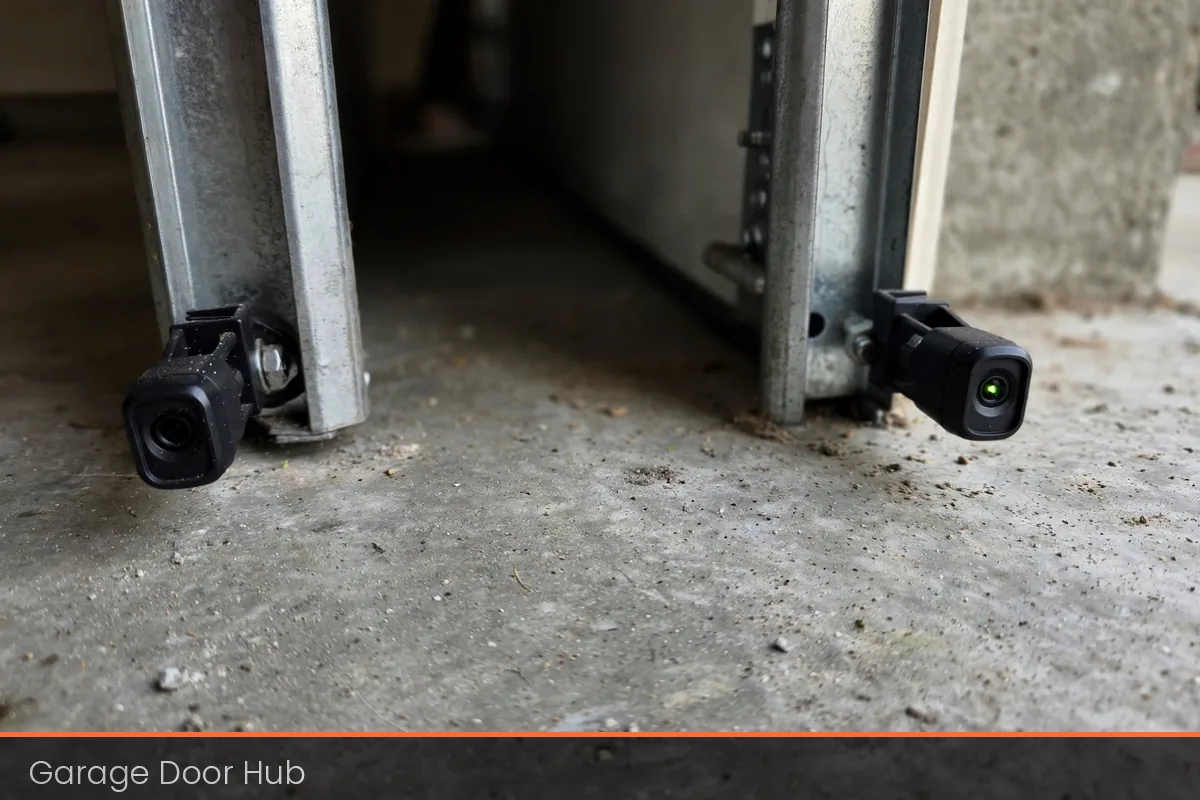
The photo-eye sensors are two small boxes near the floor on each side of the door: one sends an invisible beam, the other receives it. If the beam breaks, the door starts down and reverses — a safety feature on every home opener since 1993 — so a sensor fault almost always means a blocked beam, a dirty lens, or sensors out of line.
- Clear the path first: boxes, a broom handle, even a spider web can break the beam.
- Wipe both lenses with a soft, dry cloth.
- Check that both sensor lights are steady.
A steady light on each sensor means the beam is lined up; a blinking light means they are out of line, so tilt the sensor on its bracket until the light goes steady. On Chamberlain and LiftMaster, the opener light flashing 10 times after a reversal is the sensor fault code.
Why you must never bypass the sensors
Do not bypass the sensors or tape them together: they stop the door closing on a child, a pet or a car.
- A sensor pair costs $70 to $190 installed (Angi, Oct 2026).
- Our guide on a garage door that reverses or won’t close covers the sensor and track checks.
8. Why Your Garage Door Remote Only Works Up Close
A remote that only works from a few feet away has a range problem, not a dead door. This section works through the three usual causes — weak battery, LED interference and a damaged antenna — in the order to check them.
The three usual causes
A remote that only works up close has a range problem:
- Weak battery: the signal is faint, so fit a new CR2032 first.
- LED bulbs: cheap LEDs in the opener give off radio noise that drowns out the remote signal, so swap them for opener-rated LEDs or plain incandescent bulbs.
- Antenna wire: the thin wire at the back of the opener motor unit should hang straight down, not coiled, taped to metal, or cut short — straighten it and let it hang free.
9. When It Is the Opener, Not the Remote
Sometimes the remote is innocent: if the wall button does nothing and the opener lights are dead, check the plug behind the opener, the breaker, and the GFCI outlet, then press the GFCI reset button and test again.
Power but no movement
If the opener has power but hums and the door does not move, or the door moves a few inches and stops, the fault is mechanical — most often a broken spring.
- Do not lift the door by hand if you suspect a spring.
- Springs and cables are under deadly tension and only a pro should touch them.
Repair or replace: the age rule
Whether to repair or replace comes down to the opener’s age and what the fix costs.
- Opener repair: $100 to $300 (Fixr, Jan 2025; HomeGuide, Nov 2026).
- Opener replacement, installed: $300 to $940 (Fixr, Jan 2025) or $600 to $1,350 (A1 Garage, Nov 2026).
- Service call: $50 to $75 (HomeAdvisor, June 2026) — ask if the fee is credited toward the repair.
Repair makes sense under 10 years old; past 12 years, replacement is usually better value. Price your job first with our Garage Door Opener Cost Calculator or our Garage Door Repair Cost Calculator.
Video: Garage Door Remote, Keypad & Sensor Not Working? Fix It in 5 Minutes (2026) (Coming Soon)
A 60 to 120 second video for this guide is coming soon. It will cover the wall button test, the battery and Learn button fixes, and the one warning: never bypass the safety sensors. No video is embedded here yet.
Garage Door Hub connects homeowners with trusted local garage door pros. Need a repair? Need a replacement? Start here. First, find out what it should cost. Then, price your exact job with our free calculator. Next, find a pro near you. Fast. No jargon. No guesswork. No surprise bills. Just clear prices, honest guides, and a local pro you can call today.
Frequently Asked Questions
Why is my garage door remote not working?
The most common causes are a dead CR2032 battery, lock mode switched on, or a lost code after a power cut. Change the battery first, check the lock button light, then reprogram with the Learn button. If the wall button works but no remote does, the fault is the remote, keypad or signal.
How do I reprogram my garage door remote?
Press and release the Learn button on the opener motor unit, then press and hold the remote button within about 30 seconds until the opener light blinks or you hear a click. Do not hold Learn down until its LED goes out — that erases every remote and keypad.
Why does my garage door remote only work up close?
A weak battery is the first cause, so fit a new CR2032. The second is LED bulb interference: cheap LED bulbs in the opener can block the signal, so swap them for opener-rated LEDs. The third is a coiled or damaged antenna wire — straighten it and let it hang free.
Why is my garage door keypad not working?
Change the keypad battery first — a 9-volt on older models or a CR2032 on newer ones. If the keypad lights up but the door does not move, the PIN was lost, often after a battery change. Reprogram by pressing Learn, then entering your PIN and pressing Enter within 30 seconds.
How much does it cost to fix a garage door sensor or opener?
A sensor pair costs $70 to $190 installed (Angi, Oct 2026). Opener repair costs $100 to $300 (Fixr, Jan 2025; HomeGuide, Nov 2026). Opener replacement costs $300 to $940 (Fixr, Jan 2025) or $600 to $1,350 (A1 Garage, Nov 2026).